
Extend your HDMI Signal
How do you extend your HDMI signal to additional sources in your church? In many church setups, you may have a single video source—such as a camera feed, worship lyrics, sermon slides, or announcement graphics—that you want to display across multiple TVs, projectors, or livestreams at the same time. Whether you’re sending the same image to overflow rooms, the lobby, or the sanctuary, running multiple displays from one source can quickly become complicated. The simplest and most reliable solution for this is to use an HDMI extender or distribution amplifier, which allows you to transmit your video signal to several screens without losing quality or dealing with long, unreliable HDMI cable runs.
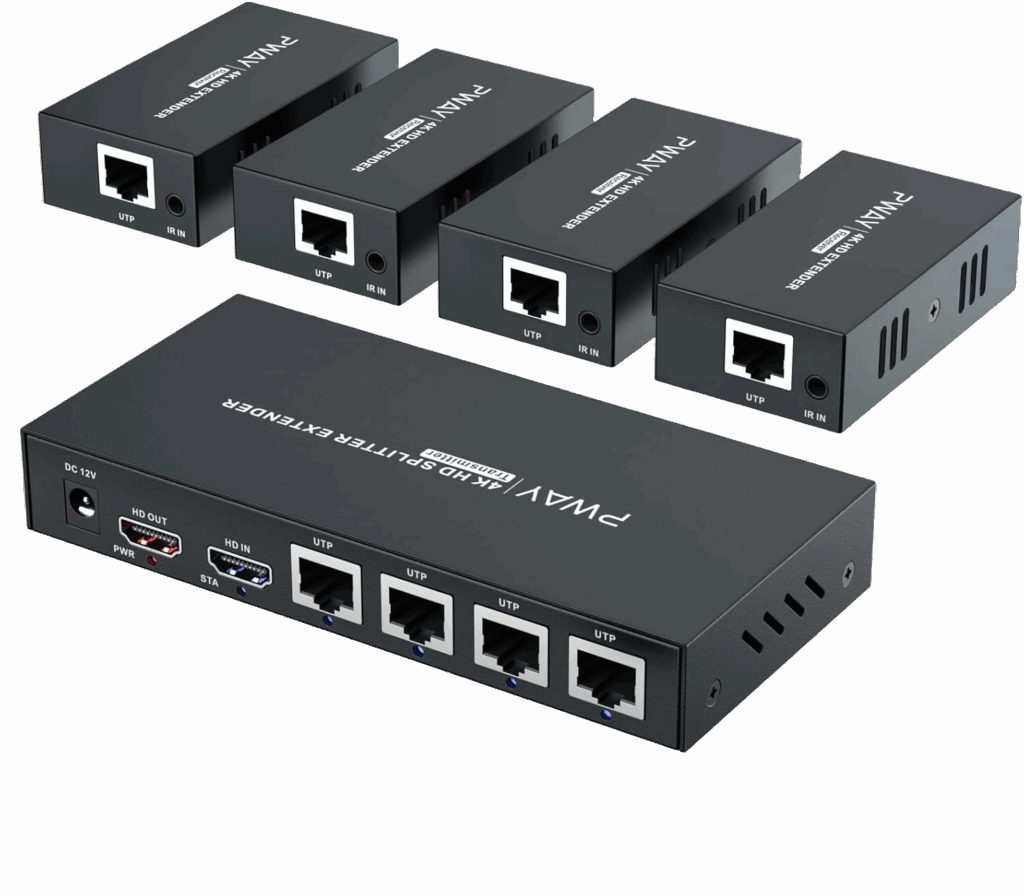
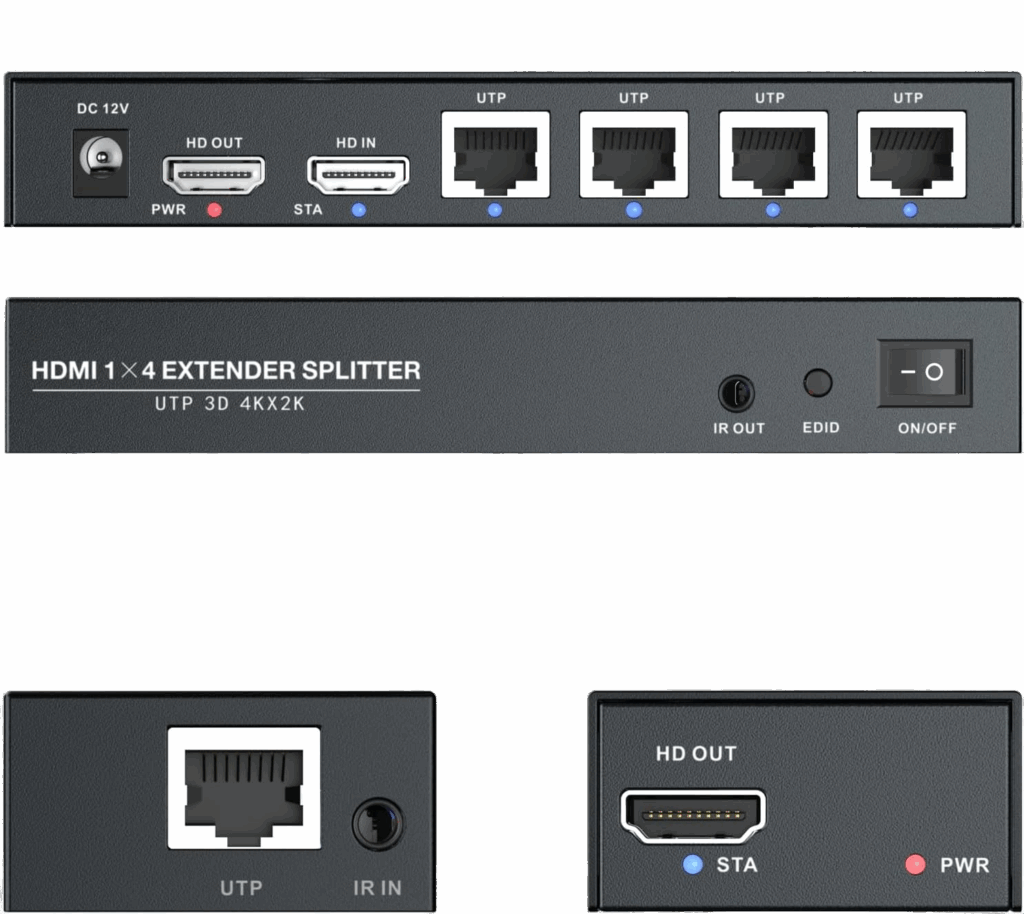
Installation is straightforward, even for smaller church tech teams or volunteers. Each receiver is placed behind its corresponding TV or projector and connected using a short HDMI cable. From there, you’ll run a network cable—Cat5, but preferably Cat6 or Cat7 for best performance—from the transmitter to each receiver. The transmitter typically sits near your video source, such as a computer, switcher, or camera output. Once everything is connected, plug your source into the “HD IN” port on the transmitter, power on the system, and test your signal. Within moments, your video should appear on every display, allowing you to easily share the same content across multiple screens throughout your church.
Benefits of Using an HDMI Extender Setup in Churches
- ✅ Long-Distance Reliability: Sends high-quality video up to hundreds of feet without signal loss or flicker—far beyond what standard HDMI cables can handle.
- ✅ Clean, Professional Installations: Uses slim, flexible network cables that are easier to run through walls or ceilings for a tidy setup.
- ✅ Multi-Display Capability: One video source can feed multiple TVs or projectors—perfect for overflow rooms, lobbies, and fellowship halls.
- ✅ Cost-Effective Solution: Cat6 or Cat7 network cables are much cheaper and more durable than long HDMI cables or wireless transmitters.
- ✅ Easy to Expand: Add more screens later by connecting additional receivers without redoing your entire setup.
- ✅ Volunteer-Friendly: Simple plug-and-play setup that doesn’t require specialized AV training.
- ✅ Consistent Quality: Maintains full HD or even 4K video quality across every display.
- ✅ Flexible Placement: Allows your displays to be positioned almost anywhere your church needs visual content.
Altogether, an HDMI extender system offers an affordable and reliable way to simplify your church’s video distribution. By using a single transmitter and multiple receivers, you can easily send your video feed to every screen—without needing complex wiring or expensive equipment. Whether you’re broadcasting sermon slides, worship lyrics, or live camera footage, this type of setup ensures everyone in your church can see the same content clearly. For most ministries, an HDMI extender provides the perfect balance of simplicity, quality, and expandability.
Check out our related posts:
- How to Connect a PTZ Camera to an ATEM Mini Using SDI Converters
- What is the best SDI-to-HDMI Converter?
This post may contain affiliate links. As an Amazon Associate, I earn from qualifying purchases.