
Which SDI switcher is right for you?
For growing churches exploring livestreaming for their weekly services, both Blackmagic and Roland offer excellent entry-level SDI video switchers that make professional broadcasting accessible and reliable. Each is capable of seamlessly switching between up to four cameras or video sources, providing smooth transitions and consistent image quality. Both brands also bring unique strengths when it comes to livestreaming integration, onboard audio features, and simple graphic overlays. Let’s take a closer look at these two switchers and determine which one makes the most sense for your growing congregation.

| Blackmagic ATEM SDI | Roland V-1SDI |
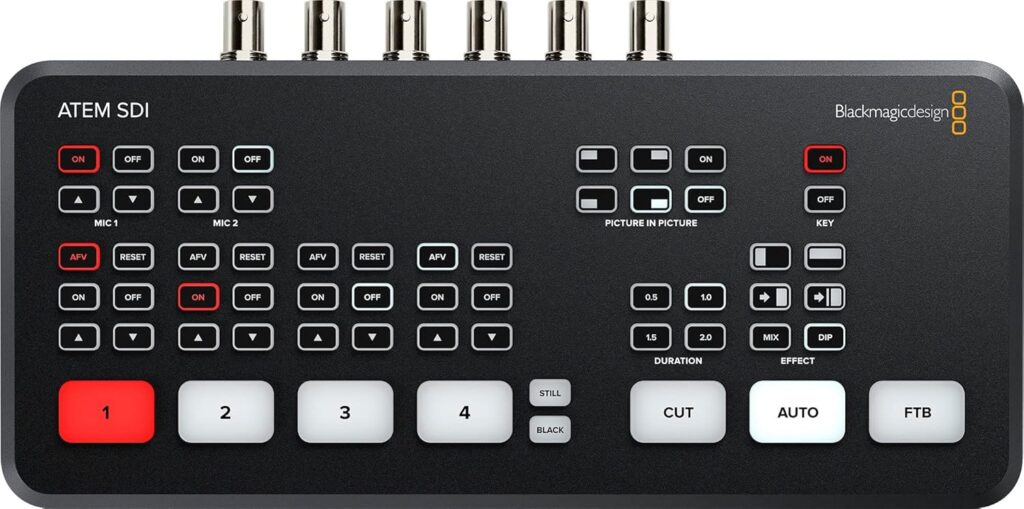 | 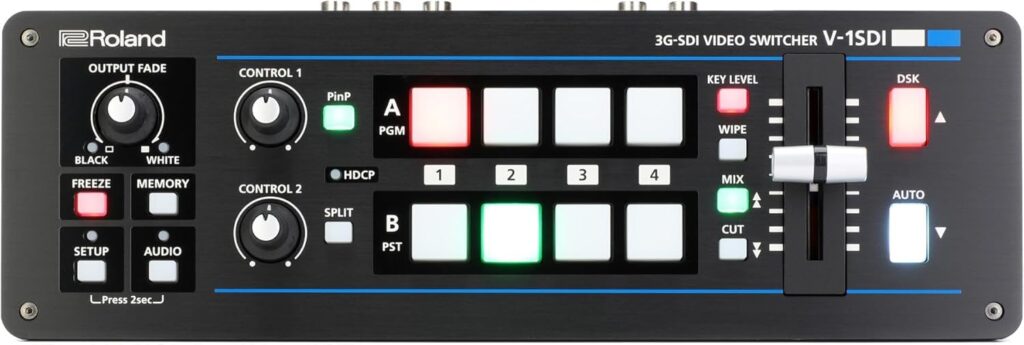 |
| The Blackmagic Design ATEM SDI Production Switcher is an excellent video switcher for growing churches looking to livestream their services or enhance in-house video production. With multiple SDI inputs, it allows seamless switching between cameras, computers, and media sources—perfect for broadcasting sermons, worship sessions, or events. Its built-in audio mixer and easy-to-use interface make it accessible for volunteers, while still delivering professional-quality visuals and smooth transitions ideal for live worship environments. It also features a USB-C webcam output for direct streaming to platforms like YouTube or Facebook. | The Roland V-1SDI Video Switcher is a compact and powerful tool perfect for small or growing churches that want to elevate their livestreams or recordings. With multiple SDI and HDMI inputs, this video switcher can easily handle several cameras and computer sources, while built-in audio mixing and effects like picture-in-picture and graphic overlays allow smooth, professional-looking worship broadcasts. Its simple controls and multiview screen make it easy for volunteers to operate, making it an excellent choice for church media teams seeking reliability and quality on a modest budget. |
Comparison Table
| Switcher | Blackmagic ATEM SDI | Roland V-1SDI |
| Video Inputs | 4 SDI inputs (all standards converted) | 3 SDI inputs + 2 HDMI inputs (one HDMI-to-SDI scaler) |
| Video Outputs/Monitoring | 2 SDI program outputs + USB (webcam output) | 2 SDI + 1 HDMI output; flexible PVW / multiview assignment |
| Audio Mixer/Channels | Built-in Fairlight mixer with EQ & dynamics (embedded SDI) | 14-channel internal audio mixer, support for analog/mic inputs, effects, audio follow video |
| Effects & Keying | DVE (picture-in-picture), transitions, chroma key, media pool (20 stills) | Picture-in-picture, split, downstream keyers, transitions, memory presets, freeze, fades |
| Ease of Use/Control | Controlled via software (ATEM Software Control) or external control panels; compact “studio” workflow | Dedicated hardware control with T-fader, backlit buttons, remote via USB/RS-232, intuitive layout |
Final Thoughts
The ATEM SDI is a compact, volunteer-friendly video switcher offering four professional 3G-SDI inputs with built-in standards conversion, ensuring compatibility across different cameras and resolutions. It features high-quality transitions, picture-in-picture effects, and chroma or luma keying for overlaying lyrics, sermon titles, or graphics—making it perfect for churches streaming worship services. The integrated Fairlight audio mixer provides EQ and dynamics control, producing balanced sound directly within the switcher. While it relies more on software for advanced features, its simplicity and affordability make it ideal for smaller production teams.
In contrast, the Roland V-1SDI includes tactile hardware controls with illuminated buttons, a T-bar fader, multiview output, and a 14-channel audio mixer with audio-follow-video capability. These tools support more complex productions, though at a higher cost. Overall, both are excellent for live church production—the ATEM SDI prioritizes simplicity and value, while the Roland V-1SDI emphasizes control and flexibility.
Check out our related posts:
- How to Connect a PTZ Camera to an ATEM Mini Using SDI Converters
- The Ultimate ATEM HDMI Comparison: Mini Pro vs Pro ISO vs Extreme
This post may contain affiliate links. As an Amazon Associate, I earn from qualifying purchases.