
Simple SDI to HDMI Converter or Full Up/Down/Cross Converter?
When your church is setting up cameras, projectors, or livestreaming gear, you may run into a common question: do we just need a simple SDI to HDMI converter, or do we need a full up/down/cross converter instead? Understanding the difference can save your volunteers time, prevent “No Signal” headaches, and make your setup more reliable. This guide walks through the two most common options used in churches—the Blackmagic Micro Converter SDI/HDMI BiDirectional 3G and the Blackmagic Micro Converter UpDownCross HD—and explains when each one is the right choice.
What a Simple SDI to HDMI Converter Does
A basic SDI-to-HDMI converter simply changes the connector type. That’s it. It doesn’t modify your resolution or frame rate.
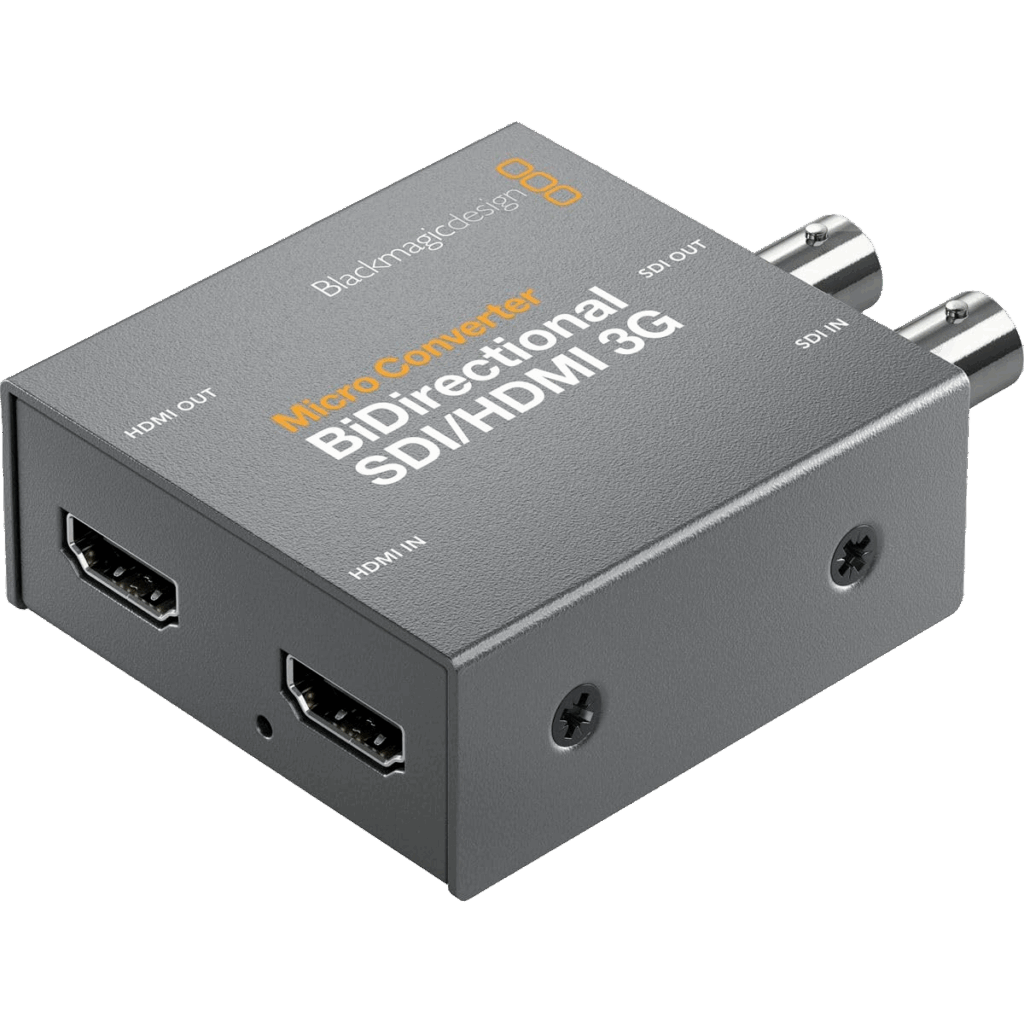
The Blackmagic Micro Converter SDI/HDMI BiDirectional 3G is the most common example used in churches. It can:
- Convert SDI → HDMI
- Convert HDMI → SDI
- Power via USB-C
- Support up to 1080p60
- Run SDI over long cable distances without quality loss
Where Churches Use It
- Connecting an SDI camera to an HDMI input on a switcher
- Sending SDI from a switcher to an HDMI confidence monitor
- Converting HDMI from a laptop to SDI for long cable runs
- Situations where all devices match in resolution and frame rate
If your gear already speaks the same video language (for example, everything runs at 1080p60), this converter is all you need.
What an Up/Down/Cross Converter Does
A full up/down/cross converter does everything the BiDirectional model does—and much more. It can change the resolution and frame rate, making incompatible devices work together.
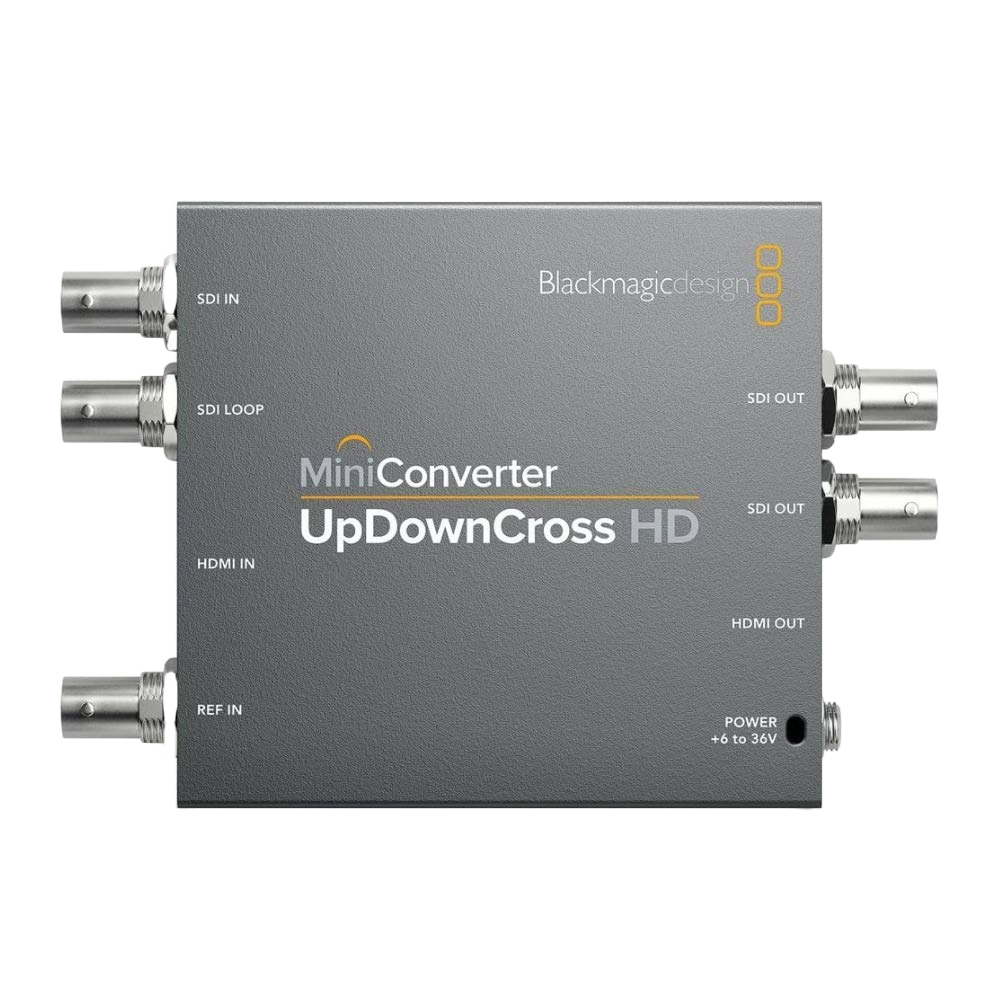
The Blackmagic Micro Converter UpDownCross HD:
- Converts signal type: SDI ↔ HDMI
- Changes resolution (upscale or downscale)
- Converts frame rates (e.g., 1080p30 → 1080p60)
- Fixes mismatched formats between cameras, computers, projectors, or switchers
- Supports 3G-SDI and up to 1080p60
Where Churches Use It
- When a computer outputs unusual resolutions (e.g., 1366×768)
- When a projector only accepts 1080i or 720p
- When cameras run different frame rates from your switcher
- Fixing “No Signal” on lobby TVs or older displays
- Making NDI-to-HDMI or SDI-to-HDMI conversions more reliable
If you’ve ever plugged something in and the screen stayed black, a UDC usually solves it.
When Your Church Only Needs the Simple BiDirectional Converter
Choose the SDI/HDMI BiDirectional if:
- All devices use the same resolution and frame rate
- Your switcher, camera, and monitors are already compatible
- You only need to change SDI ↔ HDMI
- You’re sending video long distances
- You want the most affordable option
This is the best choice for straightforward setups.
When Your Church Needs the UpDownCross Converter
Choose the UpDownCross HD if:
- You get “No Signal” when connecting video devices
- Your projector only accepts certain formats
- Your cameras don’t match your livestreaming resolution
- Your computer outputs a non-broadcast resolution
- You need your signal to always match your switcher’s format
The UDC solves the kinds of problems that waste volunteer time on Sunday morning.
Comparison Table:
Blackmagic BiDirectional vs UpDownCross
| Feature | BiDirectional SDI/HDMI 3G | UpDownCross HD |
|---|---|---|
| Converts SDI ↔ HDMI | ✔ | ✔ |
| Up/Down/Cross Conversion | ✘ | ✔ |
| Adjusts Resolution | ✘ | ✔ |
| Adjusts Frame Rates | ✘ | ✔ |
| Power | USB-C | USB-C |
| Best For | Simple conversions | Fixing mismatches & “No Signal” issues |
| Typical Church Use | Camera-to-switcher, lobby TVs | Projectors, mixed cameras, odd PC outputs |
| Cost Tier | Lower | Higher |
How to Know Which One You Need
Ask your team these quick questions:
1. Do all your cameras and your switcher run the same format?
If yes → BiDirectional is fine.
2. Do you ever get “No Signal” on displays or projectors?
If yes → you likely need a UDC.
3. Does your computer output strange resolutions?
If yes → UDC fixes it.
4. Are any devices stuck at 1080i when your system needs 1080p?
If yes → UDC is required.
5. Are volunteers often troubleshooting mismatched settings?
If yes → UDC saves time.
Final Thoughts
Choosing between a simple SDI to HDMI converter and a full up/down/cross converter depends on whether your gear already matches in resolution and frame rate. For many churches, the BiDirectional model works perfectly for straightforward conversions. But if you’ve ever run into “No Signal,” projector compatibility issues, or mismatched camera formats, the UpDownCross HD is the tool that keeps your system stable week after week. Matching formats makes your livestream more reliable and your volunteer team more confident.
Check out our related posts:
- What Is the Best HDMI-to-SDI Converter?
- Best NDI Converters for Churches (HDMI to NDI Guide for 2025)
This post may contain affiliate links. As an Amazon Associate, I earn from qualifying purchases.