
PTZOptics Presets
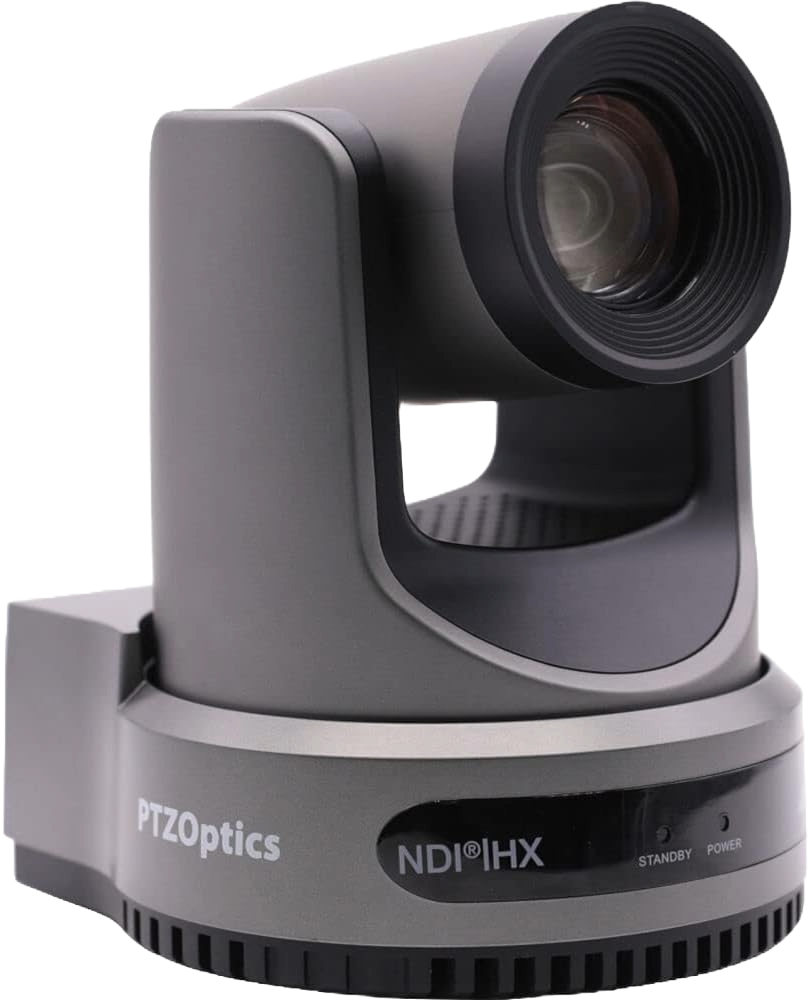
If your PTZOptics camera doesn’t return to the right position during service, you’re not alone. Many church media teams encounter PTZOptics presets not recalling correctly when using Move 4K cameras and SuperJoy controllers, especially during live worship. It can be frustrating to see a camera move to the wrong spot or stay frozen just when you need it most. Thankfully, these preset issues are almost always simple to resolve once you understand what causes them — and with a few quick checks, you can restore smooth, reliable movement before the next Sunday service.
Learn more about PTZ Camera Systems with our in-depth setup guide:
1. Save Presets After Adjusting Focus or Zoom
A common cause of preset trouble is adjusting the camera’s position or focus after saving it and then forgetting to overwrite that preset. PTZOptics presets store the exact pan, tilt, zoom, and focus positions at the time you press save. If you change anything later, the old version will remain until you re-save.
Fix:
- Move the camera to your preferred framing.
- Press and hold the Preset button on your SuperJoy, then tap the preset number you want to overwrite.
- Wait for confirmation before releasing the button.
- Always re-save if you tweak zoom, focus, or framing.
2. Match the Camera and Controller Preset Banks
When using multiple cameras or controllers, make sure each camera and the SuperJoy are assigned correctly. The SuperJoy supports multiple camera groups and IDs, each with its own set of presets. If the wrong camera or group is active, recalling a preset might appear to do nothing — or move the wrong camera.
Fix:
- Verify that the camera ID and IP address match between the SuperJoy and the camera’s web interface.
- Confirm you’ve selected the correct camera group and ID on the SuperJoy display before pressing a preset.
- Each camera bank stores its own presets, so check that you’re saving and recalling within the same group.
3. Check Network Stability and IP Settings
When the SuperJoy controls cameras over IP, a small delay or dropped connection can interrupt preset recalls. This often happens when using Wi-Fi or when DHCP reassigns a new IP address mid-service.
Fix:
- Always use wired Ethernet connections for PTZ control.
- Assign static IP addresses for all cameras and the SuperJoy so the network doesn’t change them automatically.
- Power both the cameras and the controller using PoE (if available) to simplify cabling and reduce reboot issues.
4. Set a Startup or Default Position
PTZOptics cameras don’t allow changing their true internal “Home” position, but you can set a startup or default position so they automatically move to the right framing when powered on. This helps ensure that every camera starts consistently each Sunday.
Fix:
- Move the camera to your preferred default position.
- In the PTZOptics web interface, save that view as a startup or default preset.
- Power cycle the camera to confirm it returns to that position automatically.
- Re-save your numbered presets after setting the startup position.
5. Update Camera Firmware and SuperJoy Software
PTZOptics frequently releases firmware updates for both the Move 4K cameras and the SuperJoy controller to improve preset reliability and response speed. If your presets occasionally fail to recall or move slowly, outdated firmware is a likely cause.
Fix:
- Check the PTZOptics firmware page for your specific camera model.
- Update the SuperJoy controller via its configuration menu (accessible through its IP address).
- Power cycle both the camera and controller after updates to apply changes fully.
6. Optional: Run Focus Calibration (Move 4K Models)
If your camera recalls the correct preset but the image appears soft or hunts for focus, it may need a Focus Calibration. This process fine-tunes the camera’s internal focus motors and ensures more accurate autofocus behavior.
Fix:
- Use the PTZOptics web interface or on-screen display to start the Focus Calibration process.
- Let the camera complete the routine without interruption.
- Re-save your presets afterward for consistent clarity.
Final Thoughts
Preset issues with PTZOptics Move 4K cameras and the SuperJoy controller are almost always the result of simple setup details — such as unsaved changes, mismatched IDs, or temporary network drops. Once configured correctly, these systems deliver smooth, repeatable movements that make worship streaming look professional and consistent.
Before every Sunday, take a few minutes to confirm your camera IDs, verify your IP connections, and recheck preset saves. That small routine can make a big difference in producing a seamless worship experience.
Check out our related posts:
- PTZOptics Two-Camera and Controller System: The Best All-in-One Livestreaming Package on a Budget
- What Is PoE (Power over Ethernet) and Should You Use PoE Cameras?
This post may contain affiliate links. As an Amazon Associate, I earn from qualifying purchases.