
How to Use a UPS in Your Church AV Booth
Power issues are one of the most common—and most preventable—causes of church livestream failures. Even a brief power flicker can shut down computers, audio interfaces, and network gear instantly. Learning how to use a UPS in your church AV booth is one of the simplest ways to protect your service, your volunteers, and your equipment.
A UPS (Uninterruptible Power Supply) isn’t designed to keep everything running forever. Its job is to give your system stability and time when power isn’t perfect.
What a UPS Actually Does
A UPS is a small battery-powered box that sits between your wall outlet and your equipment.
It helps in three important ways:
- Keeps critical devices on briefly during short outages
- Prevents sudden shutdowns caused by power flickers
- Protects equipment from power spikes and surges
Even 30–60 seconds of battery power can prevent corrupted files, forced reboots, and lost livestreams.
Which Devices Should Be on a UPS?
Not everything in the AV booth needs battery backup. Focus on the items that cause the most disruption if they turn off suddenly.
Best candidates for a UPS
- Livestream computer
- Audio interface or small digital mixer
- Network gear (router and/or switch)
- USB hubs powering essential devices
These are the devices that keep the stream alive and stable.
What Should NOT Be Plugged Into a UPS
Small UPS units are not designed for high-power equipment.
Avoid plugging in:
- Power amplifiers
- Stage lighting
- Space heaters or fans
- Any device with a high wattage rating
High-draw devices drain the battery quickly and can overload the UPS.
How to Use a UPS During a Service
A UPS works best when everyone knows its role.
Best practices
- Power everything on before the service starts
- If power drops briefly, keep the stream running calmly
- If the outage lasts more than a few minutes, end the stream gracefully instead of crashing
The goal is time and stability—not running indefinitely.
A Simple, Reliable UPS Option for Church AV Booths
For many churches, a compact UPS is all that’s needed.
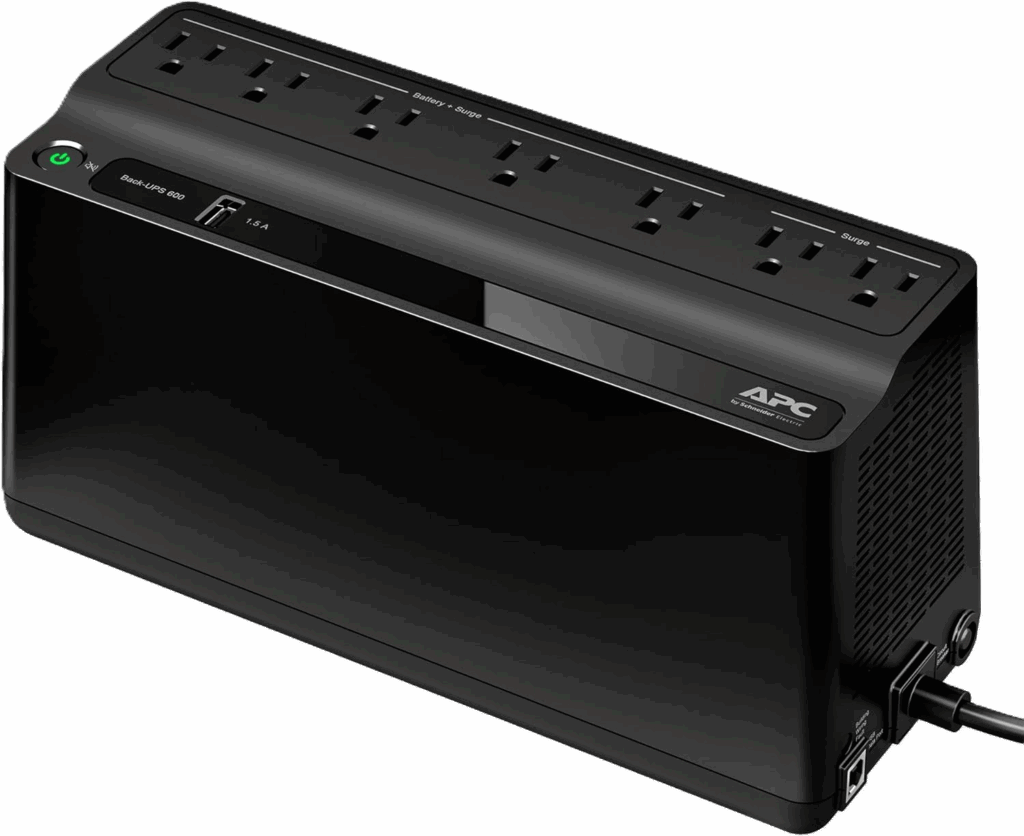
The APC Back-UPS 600VA (BE600M1) is a solid option for:
- Livestream computers
- Network equipment
- Small AV booths
Key details worth knowing:
- 600VA / approximately 330 watts capacity
- 7 total outlets (5 battery-backup + surge, 2 surge-only)
- USB charging port for phones or small accessories (power only, not data)
This makes it a practical, easy-to-understand option for volunteer-run environments.
Maintenance: The Part Churches Often Forget
UPS batteries don’t last forever.
Simple upkeep tips
- Test the UPS once or twice a year
- Expect battery replacement roughly every 3–5 years, depending on heat and use
- Keep the unit ventilated and free of dust
A UPS only helps if its battery is healthy.
Final Thoughts
Learning how to use a UPS in your church AV booth is one of the easiest reliability upgrades a church can make without changing workflows or buying complex gear. A small UPS protects your livestream, gives volunteers breathing room during power issues, and prevents avoidable failures. For churches serious about consistency, a UPS isn’t a luxury—it’s essential.
Check out our related posts:
- How to Connect a PTZ Camera to an ATEM Mini Using SDI Converters
- The Essential Guide: 4K vs UHD — What’s the Difference and Does It Matter for Livestreaming?
This post may contain affiliate links. As an Amazon Associate, I earn from qualifying purchases.